Role
Lead Product Designer
A purpose-built, filter-first product updates tool for Geotab's partners — where missing a safety change or regional compliance update carries real business consequences. Designed, tested, and shipped as part of DSSS Phase 3. UX score improved from Grade D to Grade B (+78%) in under three weeks of structured testing.
Geotab's product changes carry real consequences for partners — resellers who manage fleets for their customers. A safety-related update, a regional rollout, a FedRAMP compliance change: missing any of these can mean advising customers incorrectly, deploying to regions before a feature is available, or being caught off guard by a limitation that affects their business.
Before the redesign, staying current required reading entire monthly articles manually — no filtering, no targeted search, no way to scope to a region or product category. Two separate pages existed ("Product Updates platform" and "Product Update platform") with confusing overlapping content and broken filtering on one of them. There were no permalinks to specific features, so sharing a specific change with a colleague meant linking to a wall of unrelated text.
I ran a structured UX Scorecard evaluation (SEQ + Satisfaction + Cognitive Demand + UMUX Lite) with 4 partners against a real task: "Compile a report of all the Safety changes made to MyGeotab in the past 6 months."
"There is Product Updates platform and Product Update platform… why? The Product Update one has filtering that doesn't work."
Partner participant, UX Scorecard — Old Experience, Nov 21, 2025"No good starting point — Google to then a random month then backtrack."
Partner participant, UX Scorecard — Old Experience, Nov 21, 2025"No source of truth — copy and pasting raw content."
Partner participant, UX Scorecard — Old Experience, Nov 21, 2025
Geotab already had release notes content. The problem wasn't content — it was navigation, structure, and audience fit. I chose to build a custom tool rather than buy a generic release-notes platform specifically because the partner workflow is different from an end-customer workflow: partners need to filter by region (so they know what applies to their customers), by FedRAMP compliance (for government fleet accounts), by release status (to plan ahead vs. communicate completed changes), and by product area (so they can scope to what's relevant).
A custom product updates tool built around how partners actually consume change information — not how Geotab authors it. The design choices map directly to the research findings:
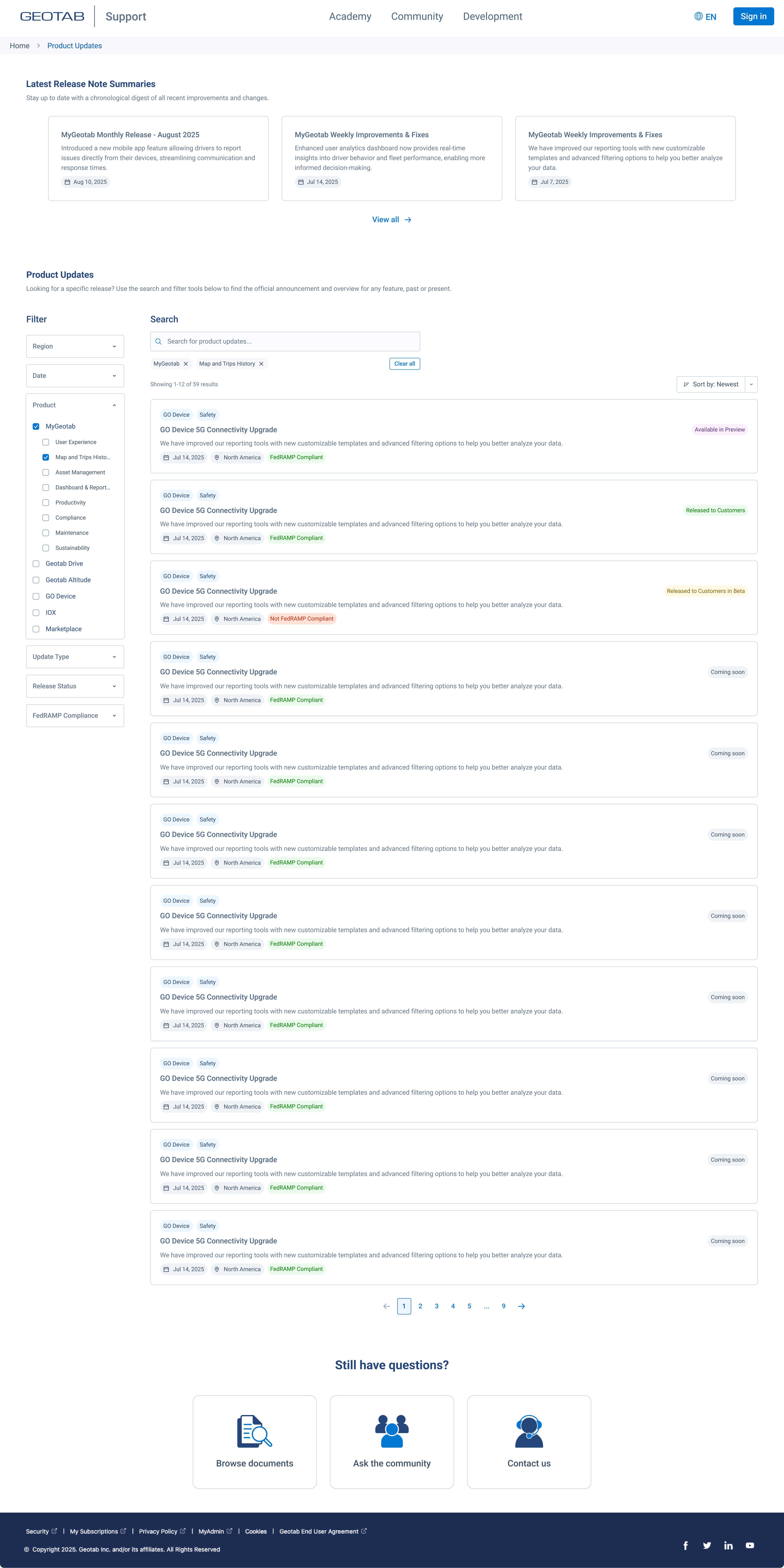
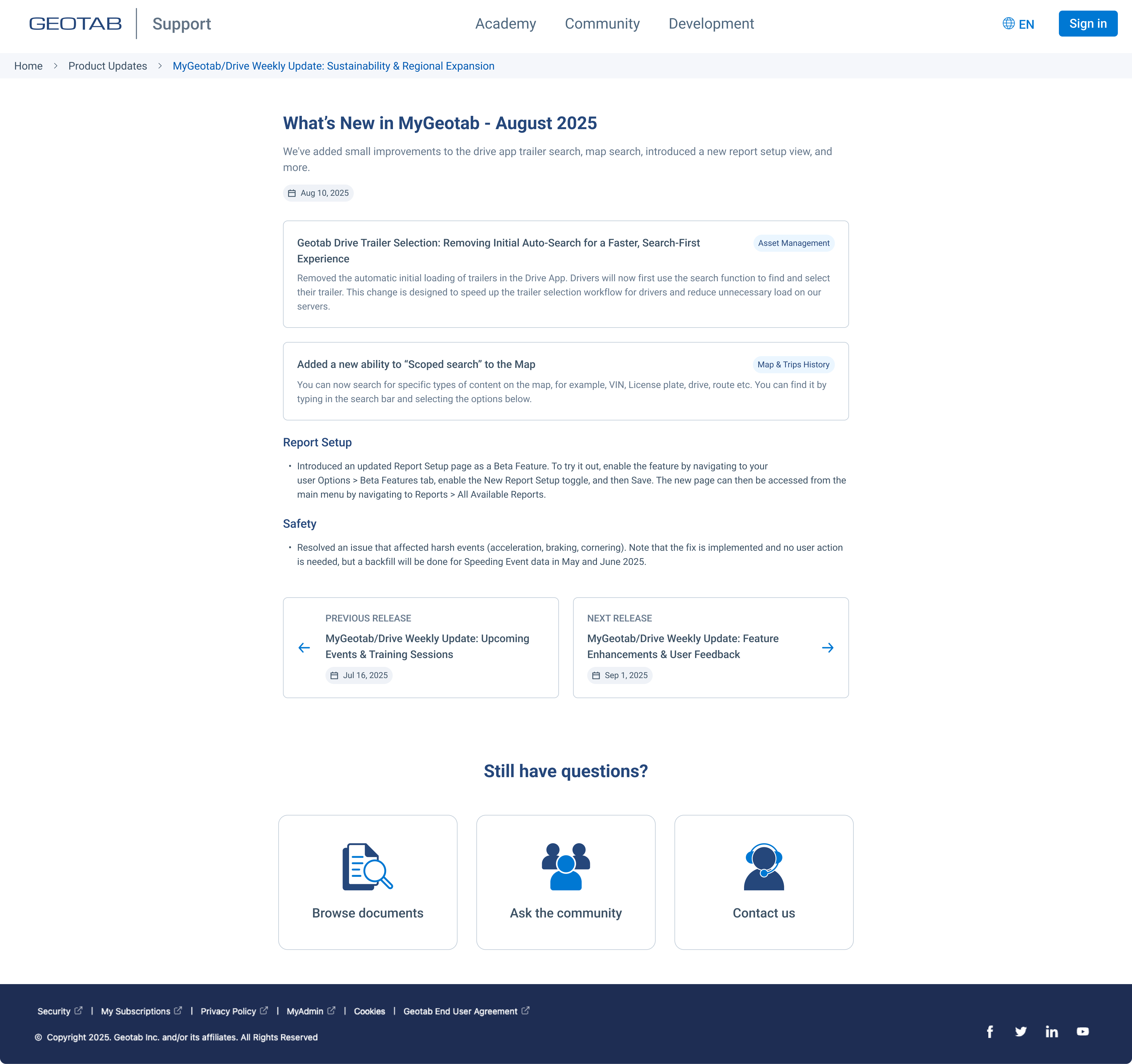
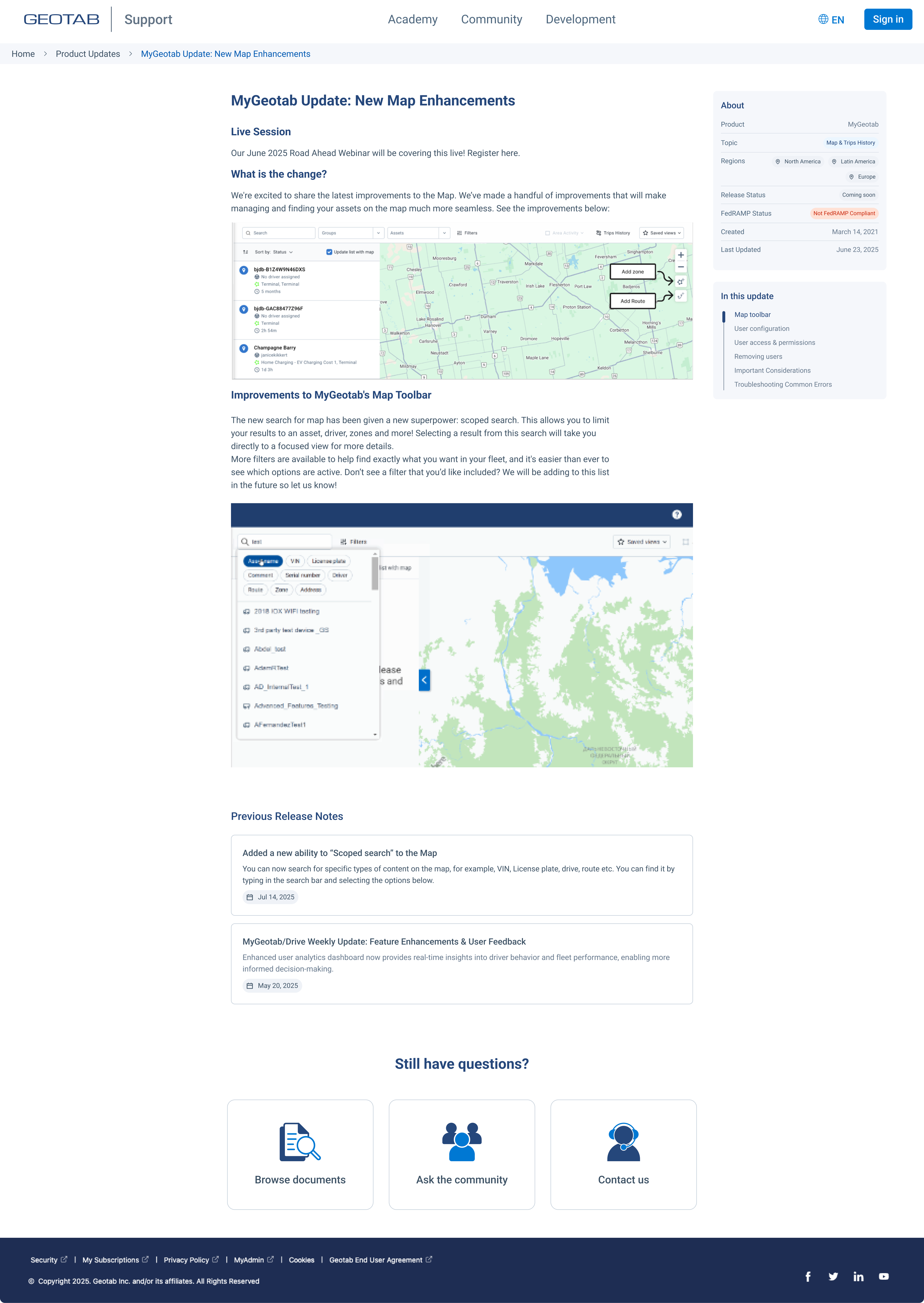
The new experience was re-evaluated against the same task and rubric with 11 participants (Dec 10, 2025) — nearly 3× the original cohort. The score jumped from 2.05 to 3.65 out of 5 — a +1.60 point improvement (+78%), moving from Grade D (Poor) to Grade B (Meets Expectations).

Participant quotes from the new experience tell the story clearly:
"Using date filter and safety tags — very efficient, took me less than 5 seconds."
Partner participant, UX Scorecard — New Experience, Dec 10, 2025"Simple and effective to just search for a keyword and then filter by time — took me less than 5 seconds."
Partner participant, UX Scorecard — New Experience, Dec 10, 2025"Nice filter options — this was very easy."
Partner participant, UX Scorecard — New Experience, Dec 10, 2025Remaining gaps identified for future iteration: the entry point is still hard to find without a Google search, "Safety" isn't yet a first-class filter chip, and there's no bulk export for partner report generation. These became the documented opportunity list for Phase 4.